Expression Editor
At times you may require complex expressions to create the property values of controls or actions. The Expression Editor is an easy-to-use tool to help you formulate expressions.
How to use the Expression Editor
Section titled “How to use the Expression Editor”Click on the Expression Editor icon  that is associated with the relevant property.
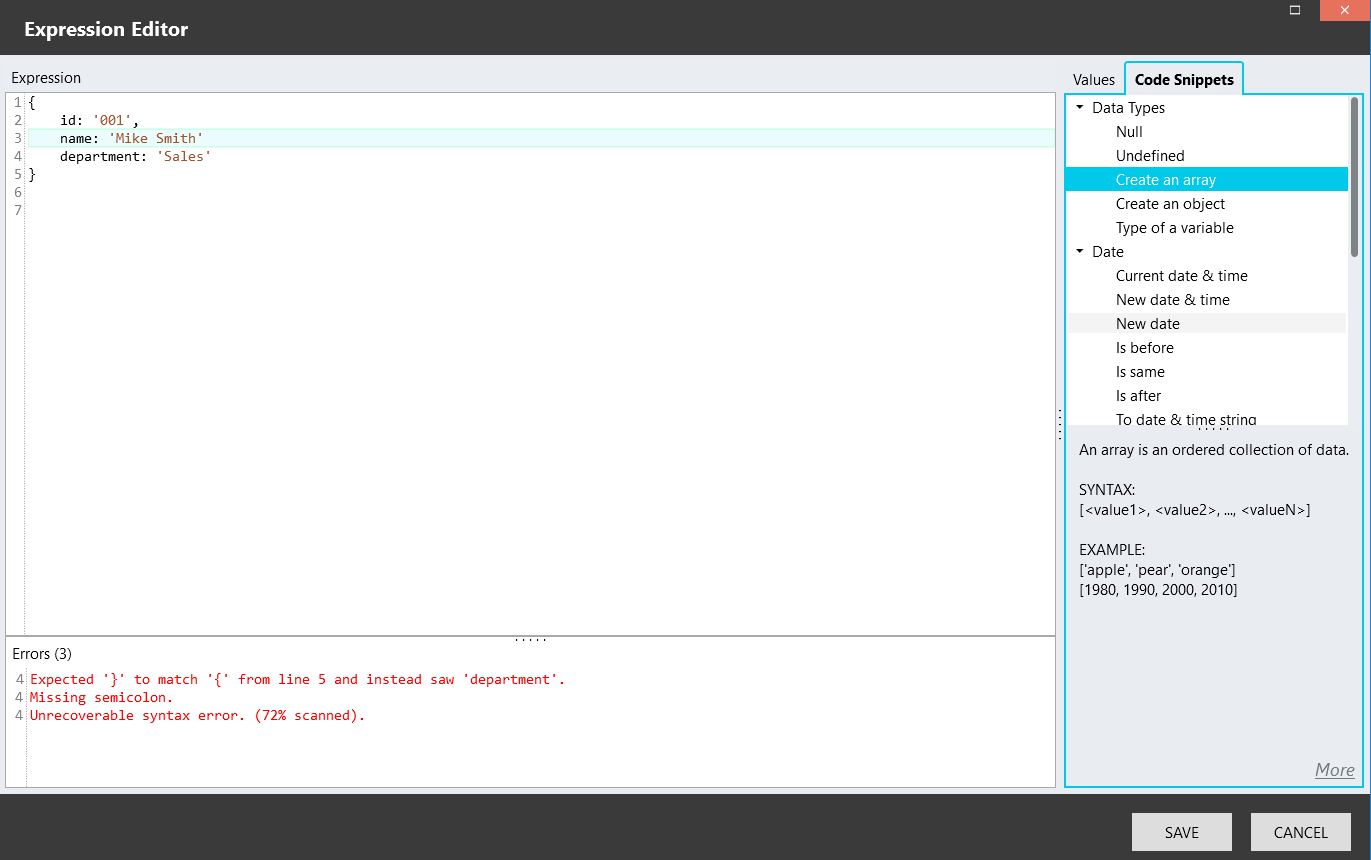
The editor consists of 3 panels:
- Expression
Formulate your expression here, by either typing it or adding available variables and code snippets from the panel on the right. - Errors
- On the right, a panel with 2 tabs:
-
Values
- Session variables
- Script variables
- Control elements
-
Code Snippets
Code that deal with various aspects of the following can be added to your expression:- Data Types
- Dates
- Arrays
- Strings
&#xNAN;System variables can be accessed with code snippets and by using JavaScript, e.g. current date and time.
Click on a code snippet in the Expression Editor to view help info in the bottom-right corner.
To include a variable or code snippet in your expression, either drag-and-drop it onto the expression panel, or double-click on it.For more help on JavaScript, go here.
-