
User API
Stadium applications with Authentication mode Email & Password or Single Sign-on come with a REST API that can be used to remotely manage application users.
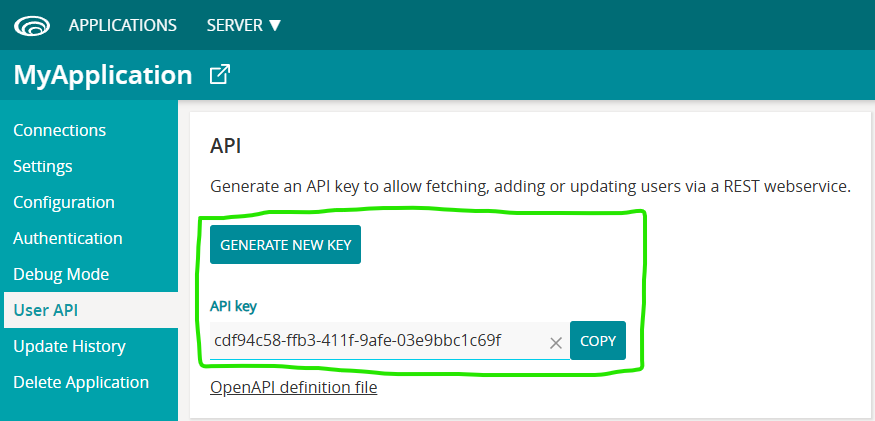
Calling the application User API requires a key. Generate this key in the Stadium Application Manager (SAM) under the application’s User API section.
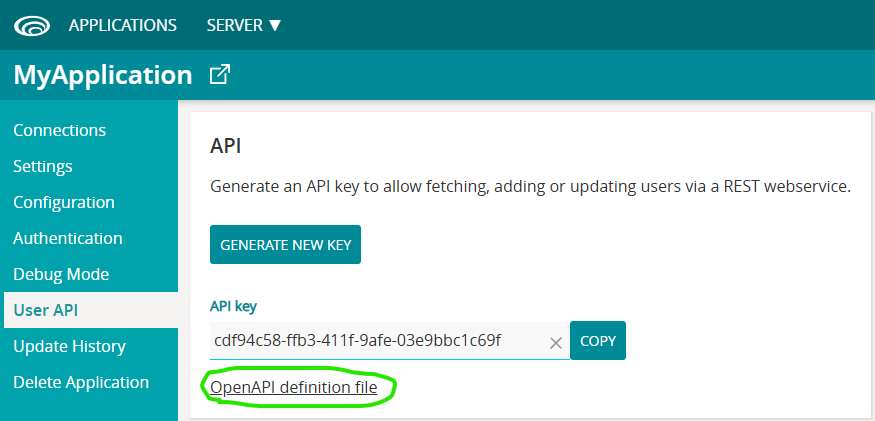
Here you can also download an Open API definition file. When importing this file into Stadium, Linx or a number of other applications, a Web Service will be generated with all available User API operations and types.
Operations
Section titled “Operations”The API exposes the operations below
Replace the <api-key> placeholder in the URL’s below with the key you generated for your application. Replace the <application-url> placeholder with the base url of your site (e.g. server.com/myapplication)
Fetch All Users
Section titled “Fetch All Users”Returns a Json object containing all users. Use a querystring parameter “email” to filter the results by email.
URL
https://<application-url>/api/users?key=<api-key>&email=@example.comMethod
GETExample Response (application/json)
[ { "id": "2e718832-3669-43f3-8eae-75f30360c17d", "email": "mike.carter23@example.com", "name": "Mike Carter", "username": "mike.carter23@example.com", "isAdministrator": true, "roles": [ "User", "Developer" ], "data": {} }, { "id": "d02123fd-730d-4c93-a9c9-e0ee4270e94d", "email": "loretta.pearson50@example.com", "name": "Loretta Pearson", "username": "loretta.pearson50@example.com", "isAdministrator": false, "roles": [ "User", "Team Leader" ], "data": {} }]NOTE: The data object is used in the Single Sign-On process by Stadium and is not available to API users.
Fetch User
Section titled “Fetch User”Returns a Json object containing the details of a specific user
The UserID is generated by Stadium and can be retrieved using the Fetch User API call
URL
https://<application-url>/api/users/<USERID>?key=<api-key>Method
GETExample Response (application/json)
{ "id": "d02123fd-730d-4c93-a9c9-e0ee4270e94d", "email": "loretta.pearson50@example.com", "name": "Loretta Pearson", "username": "loretta.pearson50@example.com", "isAdministrator": false, "roles": [ "User", "Team Leader" ], "data": {}}NOTE: The data object is used in the Single Sign-On process by Stadium and is not available to API users.
Add User
Section titled “Add User”Creates a new user record
URL
https://<application-url>/api/users?key=<api-key>Method
POSTContent Type
application/jsonBody (example)
{ "email": "<EmailAddress>", "name": "<Name>", "password": "<Password>", "roles": ["<Role1>", "<Role2>"], "isAdministrator": true}Example Response (application/json)
{ "userID": "efd1251c-d986-4d52-bf61-38b7b384958b"}Update User
Section titled “Update User”Updates an existing user record
The UserID is generated by Stadium and can be retrieved using the Fetch Users API call
URL
https://<application-url>/api/users/<USERID>?key=<api-key>Method
PUTContent Type
application/jsonBody - all fields are optional (example)
{ "email": "<EmailAddress>", "name": "<Name>", "password": "<Password>", "roles": ["<Role1>", "<Role2>"], "isAdministrator": true}Delete User
Section titled “Delete User”Deletes an existing user
The UserID is generated by Stadium and can be retrieved using the Fetch Users API call
URL
https://<application-url>/api/users/<USERID>?key=<api-key>Method
DELETEFetch Roles
Section titled “Fetch Roles”Returns a Json object containing all available roles
URL
https://<application-url>/api/roles?key=<api-key>Method
GETExample Response (application/json)
[ "Developer", "Team Leader", "User" ]